Blur every face in a photo but yours
Before you post a photo, Blur faces finds every face in it and hides it, blurred or pixelated. Tap the faces that stay sharp: yours, or a friend's.
Try it on your photo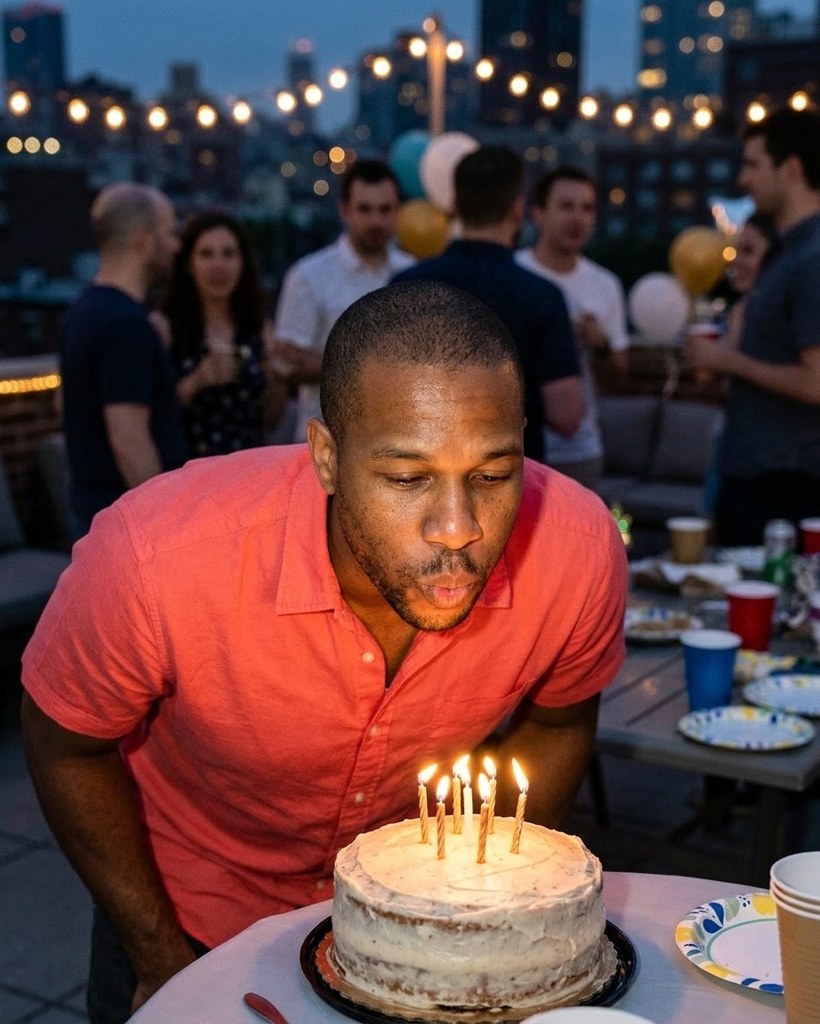
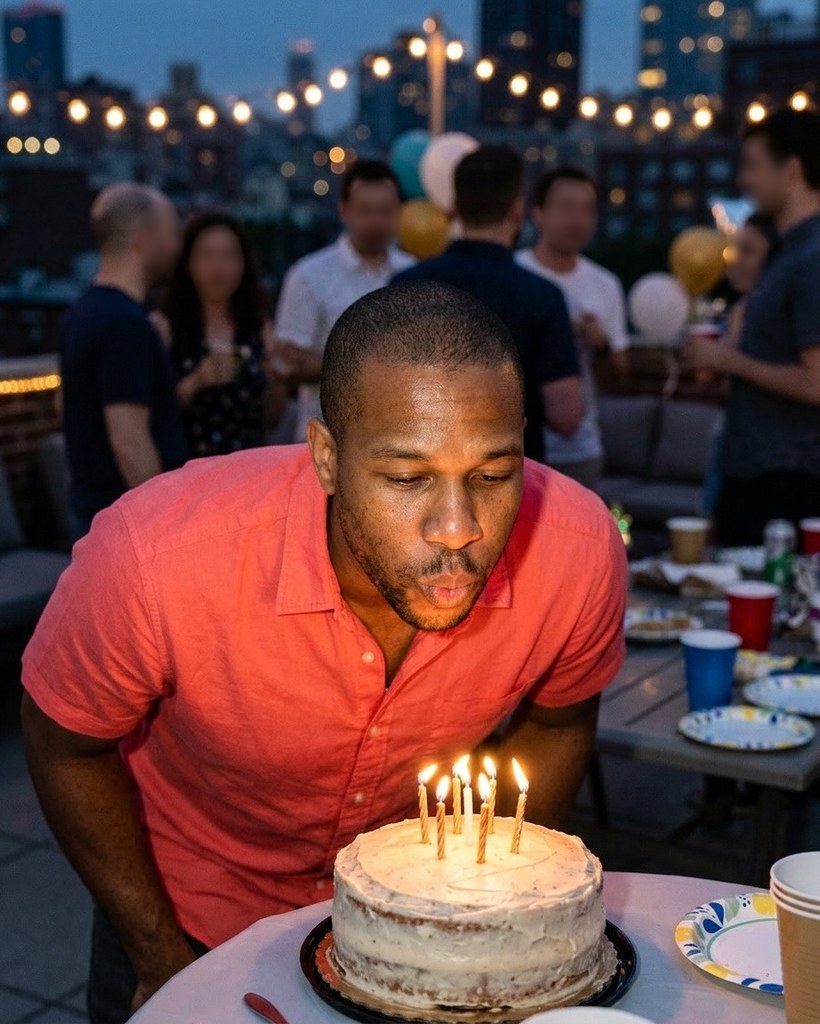
Every other face hidden


Each Original has people around the model. Blur faces found every face, kept the model's sharp and hid the rest.
How it works
- 1Add a photo, or pick one Luala made
- 2Tap the faces to keep sharp, and choose Blur or Pixelate
- 3Press the button and get the photo back
Questions
Can I blur the faces in a photo of mine?
Yes. Once you've signed in, Blur faces opens. Add a photo to My photos, or pick one Luala made: every face it finds is hidden, and you tap the ones to keep sharp.
Blur or pixelate?
Either, on the same faces. A slider sets how strong it is.
What if it misses a face?
Drag on the photo to draw an oval over it. An oval can also be moved, resized or removed.
Can I use a photo of a child or a teenager?
No. Everyone in the photo has to be 18 or older. If someone looks younger than that, we check the photo first, and it may not go through.
Can I use a photo of someone else?
Only with their written consent, and everyone in the photo has to be 18 or older.
Are these people real?
No. They're made-up sample models, and so is everyone around them. Each Blur and Pixelate here is Blur faces run on the photo beside it, with the model's face kept sharp.